Does Win 7 Antispyware 2013 make your computer crippled and unusable? Does the annoying fake Win 7 Antispyware Firewall Alerts keep popping up even in safe mode? Having gone through multiple troubleshooting solutions but none is able to fix anything? This post and Tee Support online tech support team will help find the way out.
What Is Win 7 Antispyware 2013/ Win 7 Antispyware Pro 2013?
Win 7 Antispyware 2013, Win 7 Anti-spyware 2013, Win 7 Antispyware Pro 2013, is a serious infection which conceals the malicious purpose of cheating money in the name of a real security tool. Undoubtedly, this is another scam orchestrated to create an illusion of a severely infected computer and convince users of its full license to 'remove all infections', whereas the real threats you have is the fake Win 7 Antispyware 2013 components. Therefore instead of wasting fund on worthless product, users should take immediate steps to completely remove Win 7 Antispyware 2013.
The rogue will never stop bombard the computer and the owner with various bogus infection notification, among which Win 7 Antispyware Firewall Alerts is most frequently presented and blocks numerous tasks. Besides, other infection warnings will also show up here and there stating that your computer is at risk due to a certain infection, and you are suggested to enable the protection. Furthermore, there are reports that that scam also generate non-stop scan and display a scan reports successive to the scan just as any other real scanners. Besides, you may find that the interface of Win 7 Antispyware 2013 also earn points for the fake antivirus program.
Win 7 Antispyware Pro 2013 Screenshot
What Does Win 7 Antispyware 2013 Do to Affect the System?
Tweaks the infected system in order to activate itself with Windows loading.
Displays fictitious security warnings to scare less experienced users.
Blocks access to multiple services, such as Internet, outlook, etc.
Disables system security program, installed antivirus and executable files.
Deletes download files and lists automatically and creates shortcut of itself.
Causes blue screen of death, loads itself even in safe mode, and many others.
Step-by-Step Guides to Manually Remove Win 7 Antispyware 2013 or Win 7 Antispyware Pro 2013
As explained above, antivirus may be either blocked to finish the scanning or unable to pick up the object since it acts as a real antivirus software. Under this circumstance, manual removal is your preferred choice to get rid of Win 7 Antispyware 2013. Below is the details on how:
Step 1: Restart the infected computer into safe mode with networking by pressing and holding F8 before Windows launches.
Step 2: Search for and manually delete below files:
By accidentally JS:/Pdfka-gen@bhv[expl] is downloaded into computer? Find it hard to get it removed efficiently since ways have been tried? This manual removal guide will help you remove JS:/Pdfka-gen@bhv[expl] easily and quickly. If the issue to your computer still can't be solved, you're welcome to contact Tee Support agents 24/7 online for more detailed instructions.
What Is JS:/Pdfka-gen@bhv[expl]?
JS:/Pdfka-gen@bhv[expl] is another Trojan horse that seeks for networks security exploit and intrudes into system to bring about diverse damages on the targeted computers. For other cases, the virus can be also found to distribute into computer via spam email attachment, application update or links contain malicious codes. Whatever, users need to be wary for every online activities.
Once after the installation, JS:/Pdfka-gen@bhv[expl] has the ability to rapidly replicate itself into pieces of infected files with the form of system files for the intention to hide from the deletion by security programs. Even though you are supposed to be informed by your antivirus programs, you can scarcely have it removed thoroughly as you will find it come back again after the reboot.
While keeping the virus on the system, computer performance will be seriously degraded down after a large number of system resources and CPU space have been taken over. To make things complicated, there will be system backdoors created by the virus for the usage of intruding other severe malware to drop computer with extra attack. It results in severe impact that computer will go into the blue screen of death or even fail to start up normally. To sum up, since JS:/Pdfka-gen@bhv[expl] is regarded as highly dangerous virus to your computer that users should eradicate it as fast as possible once upon the detection.
JS:/Pdfka-gen@bhv[expl] Considered as a Threatening Trojan by Impressions
JS:/Pdfka-gen@bhv[expl] is a nasty Trojan parasite
JS:/Pdfka-gen@bhv[expl] may show fake security & messages
JS:/Pdfka-gen@bhv[expl] may display numerous annoying advertisements
JS:/Pdfka-gen@bhv[expl] may come with additional spyware
JS:/Pdfka-gen@bhv[expl] violates your privacy and compromises your security
Effective Way to Eliminate JS:/Pdfka-gen@bhv[expl] Safely
Many users may have tried a variety of ways to get rid of JS:/Pdfka-gen@bhv[expl] but fall on stony ground. To be frank, since virus in fast-mutating, there is no antivirus software can solve because it takes time for antivirus software to keep trace with virus. And you may also do "regedit" in the Run command box, but all failed. Fortunately, manual removal is to be the most effective way to remove JS:/Pdfka-gen@bhv[expl]. Here is the step-by-step guide for removal.
How to Get Rid of JS:/Pdfka-gen@bhv[expl] Totally?
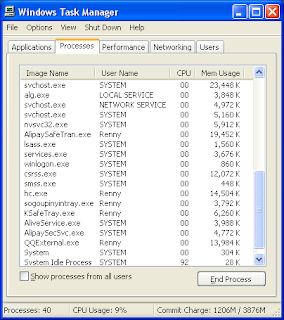
1. Find and stop JS:/Pdfka-gen@bhv[expl] running processes in the task manager. [random name].exe
2. All JS:/Pdfka-gen@bhv[expl] associated files listed below need to be removed:
(Note: if you are not expert in dealing with JS:/Pdfka-gen@bhv[expl] 's files, processes, .dll files and registry entries, it may lead to mistakes damaging your system. If you're confused about the process, please feel free to start a live chat with expert here.)
Computer starts to run tardily after the detection of Win32/sirefef.PY virus? What will it do on your PC? Is there any way to exterminate it effectively? You can give a shot on the removal process as below. If you are still confused with the process, please feel free to contact Tee Support agents 24/7 online for further detailed instructions.
Win32/sirefef.PY Analysis
Win32/sirefef.PY is a stubborn variant that comes from the family of Win32/sirefef to give the forward computers with severe destruction. To make a conclusion, the causes that computers infect with Win32/sirefef.PY can be always ascribed to the unwitting click on malicious websites as well as other illicit files from hacked sites.
Following by the installation of the virus, there can be series of harmful damages injected into the compromised computer to make it sluggishly in perform. From then on, numbers of executable files will be dropped into the essential position of system to carry out the control of computer configuration whenever it has been loaded automatically with the Windows. The payloads that related to the threat can be found as to spend out system resources, distribute extra infections from the security leak, redirect online navigation to uncertain web sites or even freeze up computer and shut it down abruptly. Due to the bunches of harmful traits that Win32/sirefef.PY tends to leave on your computer, it is recommended to get it eradicated instantly.
Malicious Traits about Win32/sirefef.PY
Win32/sirefef.PY is a nasty Trojan parasite
Win32/sirefef.PY may show fake security & messages
Win32/sirefef.PY may display numerous annoying advertisements
Win32/sirefef.PY may be controlled by a remote person
Win32/sirefef.PY may come with additional spyware
Win32/sirefef.PY violates your privacy and compromises your security
How to Remove Win32/sirefef.PY Effectively and Completely
Currently, that users are always upsetting with Win32/sirefef.PY does not just attribute to antivirus software they use are not good. It is due to the fact that Win32/sirefef.PY hides deeply in registry entries with normal files’ names by mutating itself frequently that it is difficult to be picked up. What’s more, Win32/sirefef.PY can also affect the system files and block down your pc. Is there no solution with Win32/sirefef.PY? Of course not! Manual removal would be the best effective way to eliminate it. Now what are you waiting for? Just take steps as following:
Manual Steps for Win32/sirefef.PY Removal
1.The associated files of Win32/sirefef.PY to be deleted are listed below:
random.exe
2. The associated files of Win32/sirefef.PY to be deleted are listed below:
(Note: if you are not expert in dealing with Win32/sirefef.PY 's files, processes, .dll files and registry entries, it may lead to mistakes damaging your system. If you're confused about the process, you are welcome to ask questions with expert here.)
Search.easylifeapp.com(Alias EasyLife App, EasyLife App Search) keeps showing up whenever you open your browser? How to get rid of it totally? It will be easily for you to walk through with Crackle virus with this step-by-step guide. If you have any trouble with the removal process, please feel free to contact Tee Support agents 24/7 online for help.
Search.easylifeapp.com Definition
Search.easylifeapp.com is tricky redirect virus that aggressively installs into computers silently to make inconvenience on searches and create security threat to the targeted PCs. When it is installed, it can completely change your homepage on Google Chrome, Firefox and Internet Explorer to spy into your web browsers for doing malicious things. It can falsify the default settings, change the domain and continuously redirect the inquiries to undesired websites which may be linked with malicious programs. You can also get disturbed by endless advertisements which are promoted to make money from the users. What makes things worse, it has the capability to bring in other infections to leave more violation on your computer. Summing up, it is kindly advised to drag down the Search.easylifeapp.com from your browsers as early as you can. BTW, if you don't want it come back again, you should pay serious attention on the spam email attachment, unknown plug-ins or malicious links so that to keep your computer free from the disgusting virus effectively.
Search.easylifeapp.com Snapshot
Search.easylifeapp.com is Considered as Following Symptoms
Search.easylifeapp.com is a parasitic Browser Hijacker
Search.easylifeapp.com may show numerous annoying advertisements
Search.easylifeapp.com is installed without your consent
Search.easylifeapp.com will replace (hijack) your browser homepage
Search.easylifeapp.com may spread lots of spyware and adware parasites
Search.easylifeapp.com violates your privacy and compromises your security
Manual Removal Instruction for Search.easylifeapp.com
Step 1: stop process on your system that related to bestsearchforever.biz
random.exe
Step 2: Delete files that bestsearchforever.biz has added to your system folders and files:
(Note: if you are not expert in dealing with Search.easylifeapp.com 's files, processes, .dll files and registry entries, it may lead to mistakes damaging your system. If you want to get help from the expert, please feel free to start a live chat here.)
Computer is completely messed up by Win32:Alureon-AXW virus? What's the best antivirus software to remove permanently? Any other suggestion if security programs aren't work? If there is no solution to help you availably, this step-by-step guide will help remove Win32:Alureon-AXW easily. Once there is any problem during the removal process, please contact Tee Support agents 24/7 online for more detailed instructions with the expert.
Related Information about Win32:Alureon-AXW
Win32:Alureon-AXW can be categorized as a parlous Trojan horse that utilized by invisible hackers to drop computer with a range of destructive issues. It possesses the ability to distort the system settings in order to worsen down security defense level. Additionally, as it has been covered by rootkit skills, it makes antivirus almost impossible to pick up the threat readily. After getting infected with the virus, it is unavoidable for computer acting weirdly and sluggishly as there will be bunches of infected files dropped to carry out large consumption of system resources. It also attempts to add browser with unknown plug-ins and disturbing advertisements to misguide users to unsure websites. The virus is aimed at following the trail of your visiting habit so that to collect user's related information and expose it to cyber criminals. As time passing by, computer will be inserted with additional infections which can be more severe than the one it is installed on your PC. Thus, to prevent computer from suffering from unnecessary troubles that are brought by Win32:Alureon-AXW, it is strongly suggested to exterminate the terrible virus as quickly as possible.
Win32:Alureon-AXW is Considered as Following Symptoms
Win32:Alureon-AXW is a nasty Trojan parasite
Win32:Alureon-AXW may show fake security & messages
Win32:Alureon-AXW may display numerous annoying advertisements
Win32:Alureon-AXW may be controlled by a remote person
Win32:Alureon-AXW may come with additional spyware
Win32:Alureon-AXW violates your privacy and compromises your security
Manual Removal Guide to Remove Win32:Alureon-AXW Effectively
Currently, that users are always upsetting with Win32:Alureon-AXW does not just attribute to antivirus software they use are not good. It is due to the fact that Win32:Alureon-AXW hides deeply in registry entries with normal files’ names by mutating itself frequently that it is difficult to be picked up. What’s more, Win32:Alureon-AXW can also affect the system files and block down your pc. Is there no solution with Win32:Alureon-AXW? Of course not! Manual removal would be the best effective way to eliminate it. Now what are you waiting for? Just take steps as following:
Step by Step Guide to Get Rid of Win32:Alureon-AXW Completely
1. Find and stop Win32:Alureon-AXW running processes in the task manager.
[random name].exe
2. All Win32:Alureon-AXW associated files listed below need to be removed:
(Note: if you have no sufficient expertise in dealing with Win32:Alureon-AXW 's files, processes, .dll files and registry entries, it may lead to mistakes damaging your system, so please be careful during the manual removal operation. If you are unable to find out the processes, please feel free to start a live chat here.)
Are you failed to get rid of LNK:Runner-B[Trj] virus even after trying with all ways that you can come up with? How to completely remove the virus completely? It will be easily for you to walk through with LNK:Runner-B[Trj] virus with this step-by-step guide. If you have any trouble with the removal process, please feel free to contact Tee Support agents 24/7 online for help.
Learn about LNK:Runner-B[Trj]
LNK:Runner-B[Trj] is defined as a vicious Trojan horse which carries with high dangers to the computers it tends to target. The important files and data will be in great dangers when the infection has been installed into the computer furtively. For most of the cases, it is not surprised for the well-protected computer infect with the virus at all since there can be quite a few ways to be taken by LNK:Runner-B[Trj] to install into computer availably. It can bundle with spam email attachment, online game application or other free programs. Once infected, it will disastrously damage system settings and make chaos on your computer. It can turn off firewall, open backdoor leaks to allow hackers to invade into the computer for dropping additional threats into your PC. It leads to the result that computer will be largely slow down or even froze from time to time. With the vulnerabilities it leaves on your PC, you may also get hijacked and redirected to malicious web sites which are particularly made to earn money from your account. To sum up, LNK:Runner-B[Trj] is a highly treacherous virus that users need to eradicate it instantly without any delay.
LNK:Runner-B[Trj] Is Classifed as a Big Threat
LNK:Runner-B[Trj] is a nasty Trojan parasite
LNK:Runner-B[Trj] may show fake security & messages
LNK:Runner-B[Trj] may display numerous annoying advertisements
LNK:Runner-B[Trj] may be controlled by a remote person
LNK:Runner-B[Trj] may come with additional spyware
LNK:Runner-B[Trj] violates your privacy and compromises your security
Could not Deal with of LNK:Runner-B[Trj] Thoroughly?
Many users may have tried a variety of ways to get rid of LNK:Runner-B[Trj] but fall on stony ground. To be frank, since virus in fast-mutating, there is no antivirus software can solve because it takes time for antivirus software to keep trace with virus. And you may also do "regedit" in the Run command box, but all failed. Fortunately, manual removal is to be the most effective way to remove LNK:Runner-B[Trj]. Here is the step-by-step guide for manual removal.
Step-by-Step Manual Removal Guide for LNK:Runner-B[Trj]
1. Find and stop LNK:Runner-B[Trj] associated processes:
random.exe
2. Locate and delete LNK:Runner-B[Trj] associated files:
(Note: no sufficient expertise in dealing with that LNK:Runner-B[Trj] 's files, processes, .dll files and registry entries may lead to mistakes damaging your system. Please be careful during the manual removal operation. If the removal guide is not available for you, please feel free to have a live chat with expert here.)
Are you looking forward for a good way to remove Trojan Horse Agent3.CPCF virus completely? How can it be exterminated completely without coming back again? If there is no solution to help you availably, this step-by-step guide will help remove Trojan Horse Agent3.CPCF easily. Once there is any problem during the removal process, please contact Tee Support agents 24/7 online for more detailed instructions with the expert.
Symptoms That Detected from Trojan Horse Agent3.CPCF
Trojan Horse Agent3.CPCF is a nasty Trojan parasite
Trojan Horse Agent3.CPCF may show fake security & messages
Trojan Horse Agent3.CPCF may display numerous annoying advertisements
Trojan Horse Agent3.CPCF may be controlled by a remote person
Trojan Horse Agent3.CPCF may come with additional spyware
Trojan Horse Agent3.CPCF violates your privacy and compromises your security
Analysis for Trojan Horse Agent3.CPCF
Trojan Horse Agent3.CPCF is a highly dangerous Trojan horse that can be improperly used to tamper with system settings and violate personal privacy. The virus is always dropped from the virtual network by utilizing various drive-by applications to install into computer sneakily without any authorized permission. To infected with the virus, there will be a series of disturbing activities occurred to damage the utility of system. It adds additional components to the essential part of system to guard against the complete removal by antivirus software. Additionally, the operating system will be drastically dragged down and CPU keeps remaining on high level degree. Other vicious payloads like security leaks exploitation, registry entry modification, advertisement pop-up, browser redirection and malware downloads are perceived to push computer abnormal in work. What's worst, Trojan Horse Agent3.CPCF makes computer very likely to be attacked by cyber criminals for breaching your bank account and steal personal information away. To make sure for the security of your computer and keep free from the virus, you are recommended to get rid of Trojan Horse Agent3.CPCF as soon as you can.
Most Effective Way to Remove Trojan Horse Agent3.CPCF Virus
Currently, that users are always upsetting with Trojan Horse Agent3.CPCF does not just attribute to antivirus software they use are not good. It is due to the fact that Trojan Horse Agent3.CPCF hides deeply in registry entries with normal files’ names by mutating itself frequently that it is difficult to be picked up. What’s more, Trojan Horse Agent3.CPCF can also affect the system files and block down your pc. Is there no solution with Trojan Horse Agent3.CPCF? Of course not. Manual removal would be the best effective way to eliminate it. Now what are you waiting for? Just take steps as following:
Step by Step Guide to Get Rid of Trojan Horse Agent3.CPCF Manually
1. Find and stop Trojan Horse Agent3.CPCF running processes in the task manager.
[random name].exe
2. All Trojan Horse Agent3.CPCF associated files listed below need to be removed:
Video Removal Guide to Get Rid of Trojan Horse Agent3.CPCF Efficiently
(Note: if you are not expert in dealing with Trojan Horse Agent3.CPCF's files, processes, .dll files and registry entries, it may lead to mistakes damaging your system. If you're confused about the process, please get an instant help from expert here.)